




Is your office being eaten by bulky, outdated hardware? You’ve got a printer on your desk, a large copier down the hall, and a scanner that won’t talk to your Wi-Fi. You lose minutes of work time walking between machines, and you even spend more money on multiple ink purchases and repair costs.
This process is not only inconvenient but an absolute waste of energy and money.
A Multifunction Printer (MFP) takes care of it all, with every office function contained within one fast, efficient machine. Yet choosing an inappropriate one can also result in slow output speeds and security risks, as we have learned.
We compiled this guide to prevent you from making the wrong choice. By the end of this reading, you’ll understand precisely how to get rid of excess machines and reduce the cost of running your operation.
What Is an MFP?
There are things to learn about the machine’s essential identity before you buy. Understanding the language involved will help you confidently interpret tech spec sheets.
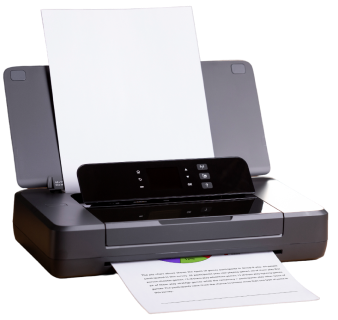
If you’re not sure, “What Is an MFP?” look to the machine’s name itself. MFP stands for Multifunction Printer and is often called an “All-in-One.” The MFP printer itself is a digital hub. In a single piece of hardware, you’ve got the 4 functions crucial to any office:
- Printer
- Copier
- Scanner
- Fax Machine
By 2026, these are the ‘digital assistants’ of the office, as they’re comfortable with both digital and paper documents.
How Does a Multifunction Printer Function?
But you are probably thinking that the same machine handles so many tasks without blowing up? The clever piece of equipment here is the link between the hardware (the machine itself) and the software.
This building also uses computer-based control over its printing and scanning functions. The machine computer takes data from your files. It pushes it through the hardware to convert digital data into a printed document. During scanning, the process takes a physical document and converts it back into digital data using sensors.
This MFP uses embedded software to streamline your workflow. The software lets you send scans to your email or to services like Google Drive directly from the MFP. All operations are performed on the touchscreen interface.
Different Types of MFPs
There is no right and wrong in the world of office technology. Your printing technology choice will depend entirely upon what kind of jobs you do every day. There is the right kind of office printing machine for every situation.
- Multifunction Laser Printers: This technology is most used for printing in an office. The speed at which it prints and the large number of text documents it can produce have made this so popular. They use toner powder instead of liquid ink.
- Inkjet MFPs: the choice for photos and graphical image printing, as the liquid ink provides brilliant colors.
- A3MFPs: Large freestanding machines, capable of printing up to 11 x 17-inch paper. They are well-suited to very large departments with high document throughput.
- A4MFPs: Compact desktop versions capable of printing up to standard letter-size paper; ideal for small teams.
Key Features of Modern MFPs
Hardware is only one piece of the puzzle; it is what the features inside do that actually save you time. The “bells and whistles” of today’s machines can convert a basic printer into a productivity workhorse.
A machine today can do more than just print. Search for the high-tech features below:
- Wireless Connectivity: The machine prints your document directly from your phone or tablet via Wi-Fi.
- Automatic Document Feeder (ADF): This function automatically scans a stack of paper while you are working on other things.
- Duplexing: Prints both sides of your documents, saving you money.
- Cloud Connectivity: Scan to the internet directly from your machine without using your computer.
Benefits of Using an MFP
Consolidating your equipment doesn’t just clear up your desk. The change affects your utility bills, stress levels, and bottom line.
If you opt for an MFP, here are the immediate benefits:
- Saves Space: Instead of four devices taking up space, a single compact machine can replace them.
- Lower Costs: Instead of one copy, one scanner, one fax machine, and one printer to maintain, you only need to purchase and service one machine.
- Conserves Power: One device will consume less electricity than four separate machines.
- Saves Time: You can scan, edit, and share your documents from one single location.
MFP vs Traditional Printer
For now, you might be tempted to purchase an inexpensive, disposable printer and be ahead for the day. But as a comparison demonstrates, this can actually be more costly in the long run:
A typical printer just prints. So, if you wanted to copy a page, you’d have to walk to the other office copier. That’s a waste of time, and this is the office shuffle that an MFP saves you from; an MFP takes care of a document throughout its entire life. It’s cheaper to buy a simple printer than to use it.
Buy vs Lease: Which Is Right for You?
When it comes to a higher-priced machine, you need to plan your finances wisely. There are two payment options: an upfront purchase and a monthly instalment plan. These will each have an impact on tax and technology flexibility.
Choose which payment option to use depending on your current financial resources:
- Purchasing: This will give you ownership of the machine from day one. This option is more expensive up front. You avoid paying monthly interest, and it suits a smaller business with readily available cash.
- Leasing: This service involves a small monthly payment that keeps your technology up to date. You can even trade the machine in for a newer model every two years. Most leases cover a service agreement, so repairs are quicker.
Who Should Use an MFP?
Though many offices can use these devices, some trades need them. How does your particular office use them?
- Small Businesses: Every inch of space and every dollar counts in the office and in the bottom line.
- Corporate Offices: MFPs are needed, with heavy print loads on a floor of the business; print is at the core of it all.
- Work from Home: Affordable, compact, professional devices are needed for a home office setup.
- Legal/Medical: Heavy volumes of paper; fast, sharp scans are always needed.
MFP Security: A Deeper Look
By 2026, no connected device will be immune to an attack. Make sure your printer isn’t the “open door” that attackers use to access your company files.
As your MPFs are connected to your network, they must be secure. Present-day features are used to protect your sensitive data.
- Data Encryption – Protects your data as it moves to the printer.
- Hard Drive Overwrite – The device erases its memory every time it prints a job.
- User Authentication – Your employee will have to enter a PIN or swipe a security card at the printer to retrieve their document, thus protecting it from unauthorized access.
How to Choose the Right MFP?
The range of choices is vast and intimidating. This checklist serves as a step-by-step guide, ensuring you get the functionality that is right for you. By using it, you can ensure you aren’t buying unnecessary features.
How to buy an MFP printer to serve your office’s needs in just five simple steps:
- Assess the Volume Of The Office: How many pages will you print in a month?
- Assess the Speed Required: An office with high volume must use a machine that prints about 40 pages per minute.
- Analyze the Quality Required: You must buy a machine with a resolution (DPI) that meets your printing requirements.
- Confirm the Software: Your purchased machine must integrate with your present applications.
Common Problems with MFPs & How to Fix Them
Nothing’s foolproof, but these common problems usually have easy fixes. Knowing how to handle minor annoyances will keep your office from slowing down.
- Paper Jams: Stick with high-quality paper. Fan the sheets before feeding them into the tray.
- Scans Come Out With Lines: These are usually caused by dust on the glass. Clean the scanner glass with a soft cloth.
- Slow Connection: Large files require significant processing time. Use a wired Ethernet cable for the best performance.
Network Digital: Powering Your Workflow, Connecting Your Future.
The right multifunction printer will be the brain of a functional office. Your job can be streamlined, and your company can save money.
By carefully selecting the right MFP printer, you can both upgrade your team and improve your business. That goes for both high-volume laser printers and a small desktop printer. With the information you need, you can now select the best printer for your office to keep your data safe and optimize your workflow.
Say goodbye to clunky, standalone devices eating up your time and budget. Boost your productivity instantly. Check out our carefully selected top multifunction printers available today at Network Digital.
Explore Network Digital online or call our representatives to build a custom MFP quote for your business needs.
FAQs
1. What Is The Difference Between A Printer And An MFP?
Only a printer can turn a digital document into reality. An MFP (Multifunction Printer) is an all-in-one unit that prints, scans, copies, and faxes. A printer is a machine that performs only one function. An MFP is a machine that handles many components throughout the life cycle of a single document. It can also send the data elsewhere, for example, an email or the cloud.
2. Is An MFP The Same As An All-In-One Printer?
That’s a good question. The terms MFP and all-in-one are often used synonymously. They both denote a single machine that can print, scan, and copy. By convention, in business, “MFP” usually refers to larger, more industrial machines designed to handle high-volume workloads. The term “all-in-one” usually refers to smaller desktop machines for home users.
3. Does An MFP Need A Computer To Scan?
It’s usually possible for current-day MFPs to perform a scan without a PC. You can email this document to your email account or download it to a USB stick. Or you can transfer it to online cloud storage services such as Google Drive or OneDrive. All operations are executed via the built-in touchscreen panel.
4. Which Is Better: A Laser MFP Or An Inkjet MFP?
For text-heavy, high-volume printing in the office, a laser MFP excels because it is much faster than an inkjet MFP and offers a much lower cost per page. That being said, the best all-in-one printer to buy if you work at home and have any artists in your household and office is an inkjet MFP. Buy one if color photos are to look professional and color graphics need to be vivid.
5. Can An MFP Print Wirelessly?
Yes, wireless printing is supported by almost all modern MFPs. You will be able to connect the machine to your office wireless network and print from your laptops, smartphones, and tablets. The printer typically supports general printing from your mobile devices. It does not require any additional drivers to be installed.