




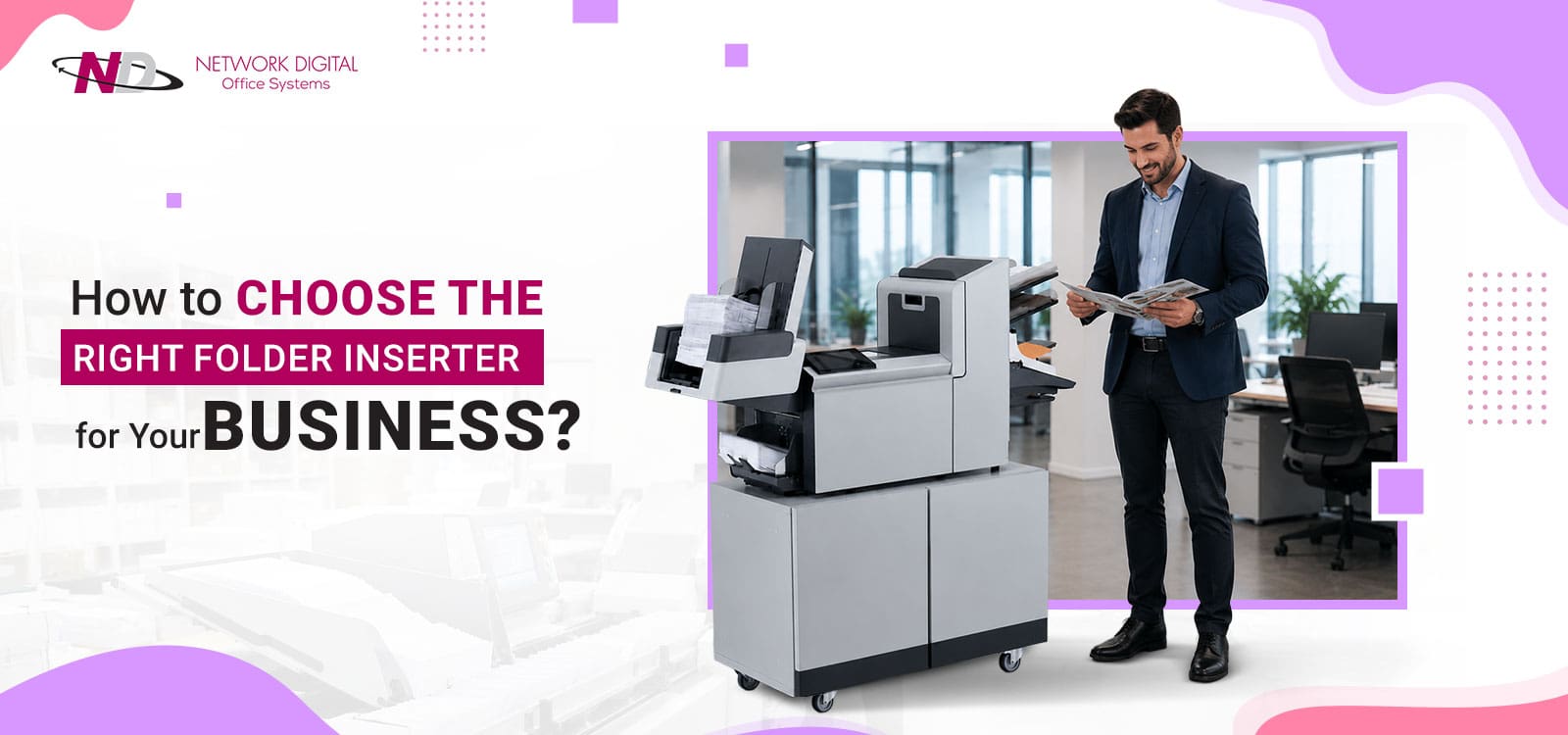
Many organizations still rely on manual processes to fold documents, insert them into envelopes, and prepare outbound mail. As mailing volumes increase, these repetitive tasks consume valuable staff time, create bottlenecks, and increase the risk of costly errors.
High volumes can quickly lead to costly labor expenses when you add simple mail prep to your production schedule. The inefficiency bottlenecks your operation, leading to costly missed mailings and additional errors.
Accuracy, compliance, and manageability are all business imperatives. As volumes expand, your manual mail prep becomes prone to delays and errors. It is unable to keep pace with increasing client demand. You reach a threshold where manually stuffing envelopes is no longer a practical option. But choosing the wrong folder inserter could result in more cost. Often the capacity is minimal and totally uneconomical.
The folder inserter is highly efficient and offers extensive automation in your mail preparation. It greatly increases accuracy while reducing your labor costs. Selecting the right machine for long-term value is an investment decision. In this guide, we look at the key factors to consider when purchasing equipment.
What Is a Folder Inserter?
Quick Answer: A system for mail automation; it folds documents and places them into envelopes ready for posting.
Before models can be compared or detailed functions explored, it must be understood just what a folder inserter is. Then it becomes clear how many businesses rely on them. Most people regard the equipment as an entry-level version of mailing machines. In fact, the latest machines are of utmost importance for mailroom automation and the tight security of documents.
Instead of asking the employee to do a time consuming, labor intensive and often frustrating process, the organization can have the system do all the folding, collating, inserting and sealing of documents. The documents are placed into the system, and the mail pieces are put together and made ready for delivery. The processing becomes faster, more consistent, and documents do not get lost.
While most companies see folder inserters as mailing machines, more businesses today see them as an integral part of a greater document automation process. Folder inserters have become the key component in digital mailrooms, customer communications management, regulatory processes, and enterprise document processing systems. Choosing the right machine is more about establishing an efficient, scalable document workflow than about preparing mail.
Many businesses may only recognize the systems as office mailing machines. This is because many processes for getting mail ready can be completed in a single step.
Why Organizations Invest in Folder Inserters?
Mailroom efficiency, labor reduction, document integrity, and compliance are the key areas in which companies spend money on folder inserters. Automated insertion provides businesses with a way to handle a high volume of mail with fewer people and a high level of document integrity.
Businesses often use folder inserters for:
| Industry | Common Folder Inserter Applications |
| Healthcare | Patient statements, billing notices, appointment reminders |
| Financial Services | Account statements, loan documents, and regulatory notices |
| Insurance | Policy renewals, claims correspondence |
| Utilities | Monthly billing and service notifications |
| Government | Citizen notices, tax communications |
| Education | Tuition statements and enrollment communications |
How Does a Folder Inserter Work?
There are four main tasks typically carried out by most folder inserters:
- Document feeding
- Document folding
- Document inserting
- Envelope sealing
These advanced systems can read sophisticated barcodes and verify document integrity. They can individually trace every single letter and provide detailed audit trails. Such functionality allows companies to handle bulk mail volumes at higher speeds and greater efficiency.
Why Choosing the Right Folder Inserter Matters?
After seeing how a folder inserter works, the next logical step is to determine which solution works best for your business. This goes beyond determining the best mailing speed. The answer impacts productivity, compliance, labor costs, customer satisfaction, and future scalability.
Too many organizations focus solely on the initial purchase price of a folder inserter. However, a folder inserter that cannot handle its task can be even more expensive to your business in the long run.
The appropriate folder inserter enables companies to:
- Decrease human labor requirements
- Increase mailing throughput speed
- Ensure the correct data is placed in the envelope
- Enhance compliance standards
- Handle increased production efficiently
- Increase customer service
Reduce the risk of compliance violations due to document-matching errors, incorrect insertions, or misdirected customer communications.
When healthcare practices mail patient statements, they need to be confident that they get sent to the appropriate recipient. Likewise, when financial institutions send account information or insurance companies mail policies, they need to be sure they reach the right person.
The investment in the right mailing machines for your office can resolve many of the compliance issues. This is a good option, as it will enhance the office’s efficiency.
Key Factors to Consider When Choosing a Folder Inserter
All organizations have varied mailing needs. A small company may handle only hundreds of mailing pieces a month, while a utility could be dealing with thousands daily. When you’ve determined your individual requirements, you’ll know how to address your situation.
1. Monthly Mail Volume
The volume of mail is a major concern.
| Monthly Mail Volume | Recommended Solution |
| Under 5,000 pieces | Desktop Folder Inserter |
| 5,000–50,000 pieces | Mid-Volume Folder Inserter |
| More than 50,000 pieces | Production Folder Inserter |
If companies expect further growth, they need to install a more powerful system in advance. That way, the equipment will be sufficient for all future requirements.
2. Processing Speed
Consider how it will affect your work speed.
Think:
- How many items do you send out per day?
- Are there daily mailing deadlines to adhere to?
- Are there times when volume dramatically increases due to seasonality?
A faster folder-inserter machine should help reduce slowdowns.
3. Number of Feeders
The number of feeders you’ll need will vary depending on the mailings that you plan to perform.
Mailings could involve one or more of the following:
- Return envelopes
- Marketing inserts
- Notices required by law
- Personalized enclosures
The more complicated the mailing is, the more feeders you may need.
4. Document Complexity
See whether your company can handle:
- Variable page lengths
- Multiple document sets
- Personalized messages
- Mixed document sizes
Intricate jobs usually demand complex automation tools.
5. Envelope Compatibility
Confirm the folder inserter can process:
- Normal envelopes
- Window envelopes
- Custom-sized envelopes
- Specialty envelopes
6. Accuracy and Security Features
The functionalities to consider when selecting an input system are:
- Barcode verification
- Optical mark recognition
- Document matching
- Piece-level tracking
- Audit reporting
These functionalities ensure that the documents reach their intended destination.
7. Ease of Use
Systems are easy to use, thereby decreasing training effort and increasing productivity.
8. Maintenance and Service Support
Factors to consider before buying a folder inserter:
- Warranty service
- Service access
- Technical support
- Preventive maintenance contracts
- Spare parts
9. Integration Capabilities
Nowadays, businesses have integrated the physical mail process with electronic workflows. Integration capabilities can provide significant benefits for efficiency improvement.
10. Total Cost of Ownership
Look beyond the initial purchase price.
Compare:
- Equipment expenses
- Ongoing upkeep costs
- Supplies/consumables
- Service agreements
- Training time required
- Increases in output
Folder Inserter Evaluation Checklist
When choosing a system the organization needs to consider:
- The monthly volume of mail
- Times when mailing peaks
- Number of inserts per envelope
- The compliance requirements
- Document complexity
- Integration needed with other systems
- The technical ability of the operator
- Future projections
Types of Folder Inserters
Once you’ve established your needs, you need to weigh up the various types of folder inserters on the market. They each serve a different volume level and business type.
Desktop Folder Inserters
Suitable for low mailing volumes and are the best fit for systems operating at desktops.
Best for:
- Small businesses
- Professional offices
- Start-ups
- Local branches
Mid-Volume Folder Inserters
Mid-volume systems: increased automation and flexibility
Best for:
- Healthcare
- Education
- Regional offices
- Expanding companies
Production Folder Inserters
Large mailing operations benefit from production systems.
Ideal for:
- Financial institutions
- Insurance companies
- Utility providers
- Government agencies
Folder Inserter Comparison Table
| Feature | Desktop | Mid-Volume | Production |
| Mail Volume | Low | Medium | High |
| Processing Speed | Basic | Moderate | Very High |
| Feeders | Limited | Multiple | Extensive |
| Automation Features | Basic | Advanced | Enterprise |
| Compliance Controls | Limited | Good | Excellent |
| Scalability | Moderate | Strong | Maximum |
Folder Inserters in the Modern Digital Mailroom
Across all industries, mail handling is evolving dramatically. For this reason, most organizations are developing hybrid physical-and-digital mail workflows. These new hybrid systems result in better visibility, more control, and increased efficiency.
Many companies’ outbound mail is still one of the few manual processes in a highly digitized enterprise. Folder inserters have bridged the gap between physical delivery and automated workflows by enabling integration.
When organizations integrate their document management and digital mailroom with folder inserters, they gain visibility into document and mailing status, as well as their process operations.
The new folder inserter should facilitate broader automation projects. It should be part of a networked solution, not just a standalone component. Most organizations integrate a folder inserter machine with:
- Digital mailroom solutions
- Workflow automation solutions
- Document management solutions
- Intelligent document processing solutions
- Enterprise content management solutions
The benefit of this is smooth data movement throughout the organization. With minimal handling required, there should be minimal error and greatly increased visibility. As businesses get more complex, folder inserters are now part of the connected document workflow. Folder inserters are an important part of how modern business works.
Common Mistakes to Avoid
Companies do a good job of determining the right kind of machine needed for their usage. However, organizations often overlook several important factors when evaluating folder inserter solutions.
1. Choosing solely on price
The cheapest folder inserter might not have the features your business requires.
2. Underestimating Future Needs
Most companies do not know the mailing demands in the next 3-5 years. Ensure a machine that meets these needs.
3. Forgetting Document Complexity
Complex mailing pieces typically require additional feeders and features to ensure accuracy.
4. Forgetting Compliance Needs
If you handle any sensitive information, you will require security and document control features.
5. Ignoring Support and Service
Quality service is critical for longevity.
6. Forgetting about workflow integration
A folder inserter should fit into larger automation efforts rather than being a solitary piece of equipment.
Benefits of Investing in the Right Folder Inserter
The advantages of a folder inserter go beyond inserting mail into an envelope. Your efficiency gains from automating your mail preparation are tremendous. It directly increases your business productivity and improves accuracy. It will also contribute to regulatory compliance and enable you to scale your business.
1. Productivity Gains
Your employees will save valuable time to use for more valuable work. They will be free to concentrate on tasks that require human creativity and strategy, not on robotic repetition.
2. Lower Labor Costs
Drastic reduction of your labor expenses when it comes to handling mail preparation.
3. Greater Accuracy
Great reduction in mailing errors. This is done by making full use of the superior verification features of automated document inserters and mailers.
4. Excellent Customer Experience
Your clients will never have to fear misdelivery or late delivery again. This confidence increases trust in your brand immensely and also tremendously boosts satisfaction.
5. Improved Compliance
Current mailings are sophisticated in their tracking and verification features. Using them makes it easy for your business to remain compliant with multiple regulations.
6. Ability To Scale
Your business can grow without a proportional increase in manual mailing resources, enabling operations to scale more efficiently. This lets you expand efficiently without adding proportionally as many staff.
7. A More Efficient Mailroom
An office mailing machine allows for a more systematic and effective workflow in the mailroom.
8. Enable Digital Transformation
The folder inserters offer full automation for a workflow. They can then be integrated into a broader document management system and used in the business’s transformation processes.
Folder Inserter ROI Example
Imagine a health provider that sends out 8,000 statements to patients every month. In a manual workflow, employees would have to print, sort, fold, insert, verify, and assemble mail pieces before mailing them.
However, a simple document mismatch would then cost money through compliance risks, reprocessing, and handling labor. An appropriately configured folder inserter will enable all those processes to be performed with increased monitoring and less manual intervention, in much shorter timeframes.
A folder inserter automates labor-intensive tasks and dramatically shortens processing time. Along with labor cost savings, many companies may also experience these advantages:
- Better mailing accuracy
- Reduced handling errors
- Increased turnaround time
- Greater employee efficiency
- More professional mailing preparation
With large volumes of mail being processed each month, in the thousands, automation can considerably minimize the amount of human interaction required while increasing document accuracy and consistency of mailing. This can lead to lower operating expenses, fewer postal errors, and speedier document delivery.
Manual vs. Automated Mailing
| Process Factor | Manual Mailing | Folder Inserter |
| Document Folding | Manual | Automated |
| Envelope Stuffing | Manual | Automated |
| Processing Speed | Lower | Higher |
| Labor Requirements | High | Lower |
| Accuracy | Dependent on staff | Consistent |
| Scalability | Limited | High |
Compliance Considerations When Choosing a Folder Inserter
In selecting a mailing service for sensitive data environments, compliance must be a primary concern. Errors in any step of the mailing process will swiftly turn private data into public. These breaches lead to severe compliance violations and a catastrophic loss of customer confidence.
Industries in which compliance is frequently a primary concern are often:
- Healthcare
- Financial Services
- Insurance
- Government
- Legal Services
In these industries, mailing errors can lead to regulatory penalties, privacy violations, customer complaints, and operational rework.
You must look for key components on any mail folding machine or folder inserter. A good organization is concerned about all of the following features.
- Barcode Verification
- Optical Mark Recognition
- Piece-Level Tracking
- Audit Trails
- Document Matching
For regulated industries, one insertion error could lead to a compromise of sensitive data, compliance audits, and loss of customer trust. Because of this, the desire for verification and tracking is a high priority for many organizations choosing folder inserters.
Best Folder Inserter by Business Type
Different organizations require different mailing methods. The following table offers an excellent place to begin.
| Business Type | Recommended Folder Inserter |
| Small Business | Desktop Folder Inserter |
| Professional Office | Desktop Folder Inserter |
| Healthcare Provider | Mid-Volume Folder Inserter |
| Educational Institution | Mid-Volume Folder Inserter |
| Regional Business | Mid-Volume Folder Inserter |
| Financial Institution | Production Folder Inserter |
| Insurance Company | Production Folder Inserter |
| Utility Provider | Production Folder Inserter |
| Government Agency | Production Folder Inserter |
Document complexity and the level of compliance will be deciding factors in every situation. Long-term growth potential will be a large consideration in your choice.
How Network Digital Evaluates Folder Inserter Requirements?
No two organizations have the same mailing problems. What works as a solution for one company might not be ideal for another. Before Network Digital formulates a plan, we examine many key operational factors. Only through this intensive analysis can we recommend the ideal folder-inserter solution for you.
- Mail volume per month
- Mailing peaks and ebbs
- Complexity of the documents
- Regulatory guidelines
- Current workflow system
- Available personnel to operate
- Expected growth in the business
- Expert Insight
Companies often judge folder inserters purely on the amount of mail they can insert. However, while volume can be a determining factor in a decision, it usually doesn’t paint the entire picture.
Issues such as document complexity, regulatory demands, staffing availability, integration requirements, and growth projections usually far outweigh volume in terms of long-term ROI.
The companies that approach folder inserter selection as part of an overall document workflow strategy are usually the ones who realize long-term efficiencies and avoid expensive hardware upgrade costs down the road.
Security Considerations When Selecting a Folder Inserter
For organizations processing sensitive customer data, productivity-enhancing functionality must be accompanied by robust security capabilities. Key security functionality should be addressed, such as:
- Barcode verification
- Piece-level tracking
- Automated document matching
- Secure audit trails
- User access controls
- Reporting and exceptions management
This functionality will minimize customer communication errors while supporting compliance standards.
Network Digital — Transforming Documents into Intelligent Business Workflows.
Choosing a folder inserter is ultimately both an operational and strategic decision. It should fit the profile of your mailing volume, document complexity and compliance needs, and your organization’s growth potential.
Organizations that approach the decision to implement folder inserters as part of an overarching document workflow strategy can gain added efficiencies, controls, and operating cost reduction.
Network Digital transforms how organizations handle mail by providing automated mailroom technologies that enhance efficiency, visibility and accuracy through intelligent automation and integration.
Our team offers integrated digital mailroom services, a business process reengineering approach, workflow integration and best-in-class mailing technologies for organizations wanting to update their mailroom processes.
Interested in streamlining your mail operations? Contact Network Digital now and find the perfect folder inserter and mail automation system for your business needs.