



Nobody wants to spend hours feeding a single page into a scanner while running their business. However, many companies are still losing hours of productivity every week due to slow document processing, whether it’s scanning invoices, contracts, employee data, or client files.
With the shift towards digital workflows and the adoption of hybrid work settings, document management is becoming more crucial. That’s where an Automatic Document Feeder or ADF can come to the rescue.
An ADF automatically scans, copies, and faxes a stack of documents without you having to be present. In this blog post, we will cover how an ADF works, types of ADFs, the benefits, and how to choose one for your business.
What Is an Automatic Document Feeder (ADF)?
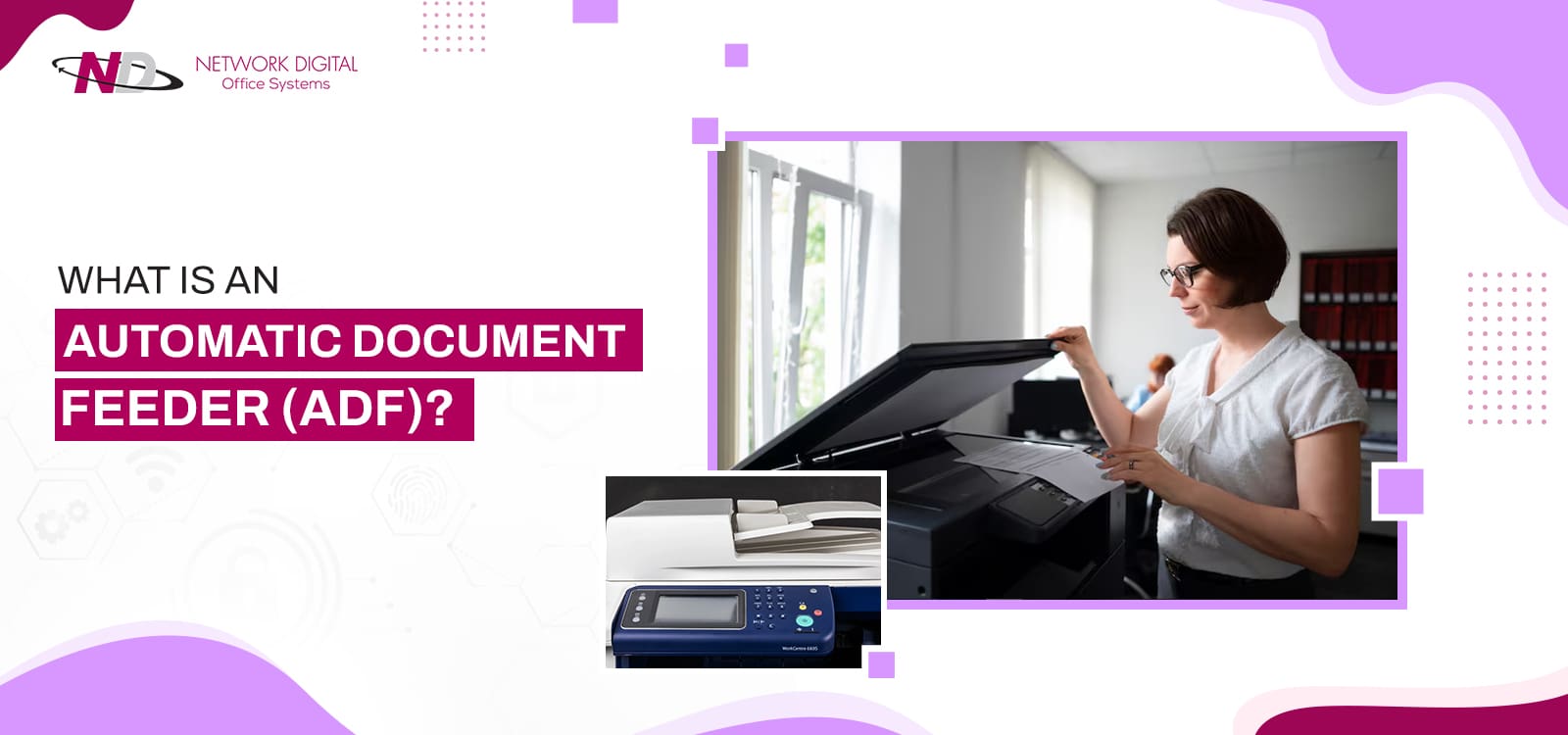
An Automatic Document Feeder (ADF) is designed to automate the scanning, copying, and faxing of multi-page documents. Instead of placing each sheet on the scanner glass individually, the ADF automatically feeds every page through the machine, making high-volume document processing significantly faster.
An Automatic Document Feeder (ADF) is a critical part of an all-in-one, a photocopier, or even a stand-alone document scanner. This piece of equipment is located on top of the all-in-one above the glass. An ADF automates repetitive scanning tasks by feeding each page into the scanner without manual intervention. Instead of manually lifting the scanner lid and feeding pages onto the glass, you don’t have to do this!
Load the document stack into the feeder tray and start the scan, copy, or fax job. Once you initiate the scanning, copying, or faxing process, the machine automatically pulls sheets through, scans the document, and copies or faxes the paper. It then discharges the page to an output tray. An ADF automates multi-page scanning, allowing documents to be processed without manually placing each sheet on the scanner glass.
Whether you are working on some legal contract documents, a stack of vendor invoices, or research for your thesis project, your Automatic Document Feeder can manage high volume easily.
Simply put, it prevents you from repeatedly lifting the lid and setting individual pages down. Instead, this significantly reduces the time and effort required to scan large batches of documents.
How Does an Automatic Document Feeder Work?
An ADF relies on rollers, separation pads, sensors, and scan modules to automatically move each page. What you may not know is the physical operation it uses to draw your paper through safely for scanning.
So how does an automatic document feeder work, anyway? An ADF uses a carefully calibrated combination of rollers, sensors, and paper guides to feed pages into the scan path. Knowing how these pieces of office hardware work will help you use your devices efficiently and keep them running smoothly for a long time.
- Your pile of documents is laid down, aligned properly against the plastic rulers, and fed into the ADF feed tray. The rulers, to help keep the page straight and scans even, should fit tightly along the edges of the paper.
- The machine starts the job. A feed roller pivots downward and rests on the topmost sheet of paper in the stack, using friction to hold it. Immediately below or alongside the feed roller, a separation pad or a separation roller catches the paper, so that only one sheet enters the paper path, thus avoiding a “double feed” or multiple sheets feeding at once.
- A line of rollers pushes the sheet of paper over a curved roller and over a flat strip of scanner glass. This glass stays put and the paper slides across the top of it. A light bulb lights the page, and a high-resolution sensor takes a photo of the page contents (words, pictures). High-end printers have two such sensors, positioned one above and one below, to capture both sides of the page in one go.
- The ejection rollers then grasp the paper and feed it through the ADF. The sheet is then fed to the output tray, the original stacking order undisturbed. As soon as the sensor detects that the page has exited the scanner path, the feed roller pulls the next page from the input tray. The cycle then repeats itself until the input tray is emptied.
Types of Automatic Document Feeders
Not all ADFs work the same way. Understanding the three main types will help you choose the right scanner or multifunction printer for your workflow. Manufacturers have created a variety of feeder types for businesses of different sizes and budgets, with varying speeds, paper paths, and prices.
The three most common ADF technologies differ in how they handle double-sided documents, scan speed, and overall efficiency. Now, when you’re looking for new printers or scanners, you have to know the difference or risk impeding your daily workflow.
1. Simplex ADF
The cheapest and simplest ADF technology is called a simplex feeder. In this case, the feeder can scan just one side of the paper at a time. So, if you put a two-sided document into a simplex ADF, the device will read only one side of each sheet.
To scan the other side, you’ll need to remove the stack from the exit tray, manually rotate each page, place it in the feeder, and run the scan process again. This additional step makes simplex ADFs less efficient for scanning double-sided documents.
2. Reversing Automatic Document Feeder (RADF)
Now, the RADF (Reversing Automatic Document Feeder) does have an advantage for scanning duplex paper. Still, it does it mechanically by flipping it. When your duplex paper goes through the feeder and out the other side after being scanned on the first side, it doesn’t just spit the paper out.
Instead, it pulls the paper back, then physically flips it over, then puts it through the scanner again to get the other side. Not that you have to move the paper (and waste time). The flipping mechanism will wear down the paper.
3. Single-Pass Duplex Automatic Document Feeder (DADF)
For offices with big scanning needs, the ideal solution is a single-pass duplex feeder. This differs from the flip-around method of reversing and flipping the paper by incorporating two image sensors inside the scanner itself.
One sensor reads the front of the sheet, and another reads the back simultaneously as the sheet glides through the scanner’s path. A single-pass system can be up to twice as fast, reduce your chances of a jam caused by paper flipping, and operate more silently.
Practical tip: If your office regularly scans two-sided invoices, legal documents, or medical records, investing in a single-pass duplex ADF typically delivers the best long-term value. Although these models cost more upfront, they reduce scan times, minimize paper handling, and generally experience fewer paper-feed interruptions than reversing ADF systems.
Comparing ADF Technologies
Below is a data-rich table showing the differences for quick scanning.
| ADF Type | Sides Scanned in One Pass | Speed | Cost | Best Use Case |
| Simplex ADF | 1 Side Only | Slow | Low | Budget Home Offices, Casual Users |
| Reversing ADF (RADF) | 2 Sides (Requires Mechanical Flip) | Medium | Moderate | Small Businesses with Moderate Duplex Needs |
| Single-Pass DADF | 2 Sides (Simultaneously) | Fast | High | Busy Offices, Legal Firms, High-Volume Scanning |
Benefits of Using an Automatic Document Feeder
Beyond convenience, an ADF improves productivity by reducing manual document handling and speeding up repetitive office tasks. Installing the feeder in your office will immediately benefit your bottom line: Here’s what you’ll experience:
You can gain multiple immediate benefits for your business by purchasing a new printer or scanner with an Automatic Document Feeder. They can immediately positively impact your bottom line through efficiency and savings.
- A Good ADF Saves A Ton Of Time: Manually scanning 50 legal pages on a flatbed takes at least 15 minutes. Using a flatbed scanner on a flatbed with an ADF? Under two minutes. Save that time, and in a month, you get hours back for employees.
- It’s good to have around the Office: No ADF user ever babysits their copier machine. You stack your papers in the ADF, press the start button, and walk away. In the time it takes your papers to scan, you could answer a dozen emails or call your client about that project you’re wrapping up. Go and work on growing your business.
- It Also Digitally Optimizes Your Business: In today’s business climate, cloud storage for all your files is paramount, and ADF devices streamline the transition to a paper-free office. ADF scanners allow you to digitally optimize and digitize even massive file cabinets filled with tax documents, receipts, and invoices quickly and efficiently. Quickly build an organized business and clean files with organized and searchable PDF folders.
- It’s Also Much Gentler on Your Machine and Your Paper: You don’t have to keep lifting that heavy scanner lid, and wear and tear on those delicate hinges and the glass can be significant. An ADF feeds the paper smoothly, keeping your physical originals pristine.
When an ADF Makes Sense?
An ADF is a great investment if your workplace:
- Scans 20+ (even 30+) pages daily.
- Often deals with multi-page documents like contracts, invoices, and reports.
- Regularly scans two-sided (duplex) documents.
- One multifunction device serves multiple staff.
- Moving to digital file management or cloud storage solutions.
If you only have a handful of single-page documents to scan each week, a flatbed will probably get the job done. But once your document volume increases, an ADF will take productivity to a whole new level.
Is an Automatic Document Feeder Right for Your Business?
| Your Business Needs | An ADF Is Recommended If… | A Flatbed Scanner May Be Enough If… |
| Daily Scanning Volume | You scan 20 or more pages per day or process documents throughout the day. | You only scan a few pages each week. |
| Document Types | You regularly handle multi-page contracts, invoices, reports, HR files, purchase orders, or medical records. | Most documents are single-page forms or occasional paperwork. |
| Duplex (Two-Sided) Documents | You frequently scan double-sided documents and want to avoid manually flipping pages. | Most documents are single-sided. |
| Office Environment | Multiple employees share the same printer or scanner throughout the day. | The device is used by one person with minimal scanning needs. |
| Workflow Goals | You’re transitioning to paperless workflows, cloud storage, or digital document management. | You primarily keep paper records and rarely digitize documents. |
| Productivity Requirements | Saving employees’ time and reducing repetitive administrative tasks are priorities. | Speed and automation aren’t major concerns for your business. |
| Return on Investment | Faster document processing can improve customer service, approvals, and overall operational efficiency. | The additional cost of an ADF would outweigh the limited time savings. |
Who Should Use an Automatic Document Feeder?
1. Small Business Owners and Startups
In a small business, employees are constantly juggling several jobs at once. You can’t afford to spend your valuable time on the boring part of managing the administrative tasks. An ADF printer helps a small group efficiently manage incoming client proposals, invoices, and supplier invoices. This way, the business remains on track for further growth.
2. Remote and Home Office Workers
If you’re a remote worker in the United States, you likely need to fax documents like signed contracts and expense forms back to headquarters on a fairly regular basis. The answer is to invest in an all-in-one printer that’s small enough to fit on your desk, delivers professional performance, and includes an automatic document feeder.
3. Legal and Financial Professionals
So many law firms, accounting firms – they’ve got mountains of paperwork to handle. Those industries need rigorous record retention, along with super-fast digitization of contracts, affidavits, tax documents, and everything in between. The one-pass DADF allows firms like that to keep clients happy and stay within security regulations.
4. Teachers, Educators, and Students
When teachers scan their worksheets, quizzes, and reading notes, they make copies and hand them out. But now ADF makes lesson prep easy. The students feed their handwritten notes, chapters, and the study guide. And then make their notes for sharing and annotation.
Common Applications of Automatic Document Feeders
1. Document Digitization and Cloud Archival: Today, numerous US corporations are archiving their old paperwork to free up space in their physical offices. ADFs (automatic document feeders) allow you to place paper-based files on the scanner and automatically save them in the cloud. Thus, your data can be searched from any computer.
2. High-Volume Copying: If you’re looking to create physical copies of multi-page bundles, the ADF comes into play with the copier engine. It will feed pages quickly through the copier so you get automatically collated copies.
3. Invoicing and Expense Management: Feeders help the finance department with a stack of month-end employee receipts and monthly invoices. Bundling those documents together and sending them through the ADF at once speeds up the reconciliation.
4. Multi-Page Faxing: Even though most things today are handled digitally, certain fields – such as healthcare or government work – still depend on faxing as a way of sending documents securely. And ADF machines enable you to fax off a 30-page medical chart or government document without issue.
Key Features to Look for in an ADF Printer
1. Paper Tray Capacity: Your input tray’s capacity is the number of sheets of paper you can put in your printer before it needs to be refilled. Standard home office printers typically take 35 pages. Office printers often have higher capacities ranging from 50 to 100 pages. Match capacity to the size of your biggest print job, and you’ll never have to split your work.
2. Scanning and Copying Speed: For example, companies quote printer speed in “Pages per Minute” (PPM) for duplex (two-sided) printing, and “Images Per Minute” (IPM) for duplex scanning. High-speed commercial document feeders are now reaching over 40 PPM/80 IPM. The faster the speed, the more time your workers won’t be standing idle waiting at your printer.
3. Media Versatility and Weight Handling: An effective ADF will handle much more than 8 1/2 x 11-inch paper. The best models also process thin, long receipts, bulky cardstock, small business cards, and legal-size paper – without snagging or tearing. The ability to lock paper guides for different paper widths is a plus.
Choosing the Right Office Printer with an Automatic Document Feeder
Once you’ve identified the features your business needs, the next step is selecting a printer that matches your workload and budget. Here we’ve picked some of the best of the best from the Konica Minolta Bizhub series, available via our top-of-the-range lease and rental plans at Network Digital, so you don’t have to spend ages searching.
Choosing the right ADF is all about having the right budget, the right volume of use, and the right document security needs, so let us help tailor the best solutions for you with a top-range custom provision from Network Digital.
Top compact color solution for home and small office: Konica Minolta Bizhub C3120i
- Key Features: Check out this awesome new color laser printer for your office. Print at an impressive 33ppm in both color and black & white. This product comes with wireless, a color touchscreen, and dual-scan!
- Why It Wins: It runs very quietly and doesn’t take up much space, which is ideal for a home office or a small business. Its standard dual-scan feeder can get both sides of a sheet at once, eliminating paper-jam-inducing mechanical reversals.
High Volume Monochrome? Konica Minolta Bizhub 4051i
- Key Features: This sturdy black-and-white printer prints quickly (up to 40 PPM!), includes an easy-to-use color touchscreen, duplex printing as standard, and multiple USB, Ethernet, and WLAN connections.
- Why It Wins: This monochrome workhorse is reliable. Daily print and scan demands are no problem for this printer. The automatic duplex feeder digitizes documents quickly and easily.
Ideal for Enterprise-Level Productivity (Secure): Konica Minolta Bizhub 4750i
- Key Features: Here’s a monochrome MFD with 42 ppm print speed, and it all comes in the shape of a 10″ color touch screen tablet. Add a maximum paper capacity of 1600 sheets and duplex scanning as standard; this printer comes equipped with a Bitdefender antivirus engine.
- Why It Wins: You can use touch controls for convenience and full-document encryption for security. This high-capacity model is the best solution for law offices, doctors’ practices, and enterprise groups that need the highest level of protection for their documents.
The Ultimate Heavy-Duty Color Beast for a Hard-Working Team: Konica Minolta Bizhub C4050i
- Key Features: Print color with this powerhouse MFP at 42 PPM in stunning resolution! This beauty also includes an integrated standard dual-scan document feeder, a robust design to withstand busy cycles, and simple mobile print software setup.
- Why It Wins: The perfect productivity solution for mixed fleet/desktop environments. Running on super-low per-page costs with high-speed dual-scan speeds, perfect for today’s paperless office.
Elevate Your Document Workflow with Network Digital
Whether you’re upgrading a single office printer or managing an entire fleet of multifunction devices, choosing the right ADF can significantly improve document workflows and employee productivity. Doesn’t matter if it is a small all-in-one printer or a high-speed scanner with an automatic document feeder; you don’t have to figure it out by yourself.
Network Digital will design, implement, and support the most appropriate print fleet that meets your business needs. From assessing your document needs and selecting the most reliable hardware, we will manage your solution for you with Managed Print Services.
Frequently Asked Questions
1. What Is The Difference Between ADF And Flatbed Scanning?
Flatbed scanners mean you lay each page face down, one by one, onto the glass. Automatic Document Feeders, meanwhile, suck down multiple sheets of paper one after another. Grab the flatbed for sensitive, old documents, and go with the feeder for a ream of multi-page reports.
2. Can An Automatic Document Feeder Scan Both Sides Of A Page?
Yes, duplex feeders scan both sides of a sheet of paper for you. Reversing feeders physically turn each sheet over. Duplex single-pass scanners scan both sides of a sheet of paper simultaneously using two camera sensors. This design significantly reduces scan time for double-sided documents.
3. What Is ADF In Printer Technology?
ADF stands for Automatic Document Feeder, and if your printer has one, it’s basically an automatic paper tray. ADFs can automatically feed a stack of papers into your printer-scanner, allowing you to breeze through piles of paperwork and improve your productivity in the office.
4. Why Should You Choose a High-Speed Scanner Automatic Document Feeder?
These machines, which are automatic document feeders (ADF) on steroids, can process dozens or even hundreds of pages per minute, depending on the model and whether duplex scanning is enabled. What’s also special is the ability for these systems to scan both sides of a page in one go, and transfer them straight to the cloud for high-speed digital archiving for your business.
5. What Is The Automatic Document Feeder Meaning For Modern Offices?
An ADF, also known as an automatic document feeder, is a machine found in office environments that enables the automated scanning, copying, and faxing of documents. Instead of opening and closing the scanner lid every time you want to scan a new page, you place your document in a tray, and the machine handles it.