




Printing is essential to running a business every day, yet it often causes more disruption than assistance.
Servers crash, and print drivers clash with new devices. It wastes the time of home or remote site workers just trying to get a document onto paper. Sensitive files are left abandoned on trays, and queues stall unexpectedly. Moreover, every office move or new location adds another printing headache for IT.
Cloud printing is built to remove these pain points. It allows your team to print securely from almost any device, anywhere. Therefore, you can eliminate the fragile on-site servers and tangled configurations that get in the way.
As your workforce becomes increasingly hybrid and remote, cloud printing keeps printing consistently, securely, and is easy to manage. Thus, users and IT can focus on real work, not print problems.
What Is Cloud Printing?
Cloud printing enables you to send print jobs from a device to a printer over the Internet via a cloud service. You no longer require a direct local connection to complete the same task.
In a cloud printing setting, the printer connects to a secure cloud platform. The users, whether on laptops, smartphones, or tablets, send their documents to that same platform. It then routes each job to the correct printer, holding it securely until the user is ready to release it at the device.
This is also referred to as cloud-based printing, or print-from-anywhere printing. It doesn’t require the user to be on the office network, and it doesn’t need every device to have a specific driver for each printer. Instead, much of the behind-the-scenes complexity flows through the cloud printing service. It allows the users to enjoy a simple, consistent print experience.
Most modern cloud printing solutions for businesses share common traits:
- They are hosted in the cloud, whether public, private, or hybrid.
- They support multiple device types and operating systems.
- They encrypt documents in transit and often at rest.
- They require users to authenticate before releasing a print job.
- They provide a central cloud-print management interface that allows administrators to oversee printers, users, and print queues.
Why Cloud Printing Matters Today?
Business operations are transitioning from traditional fixed offices toward more flexible, distributed workspaces. This means teams will collaborate across time zones and shuttle between corporate sites and client locations. It will also require seamless access to documents, regardless of their location.
They utilise the cloud-based tools necessary to create, store, and share information. It will put pressure on every layer of the infrastructure to be as adaptable and always available as the work itself.
Traditional print environments just weren’t wired to move at this velocity. They were designed for a single office, a fixed network, and devices that changed very little. In companies now modernising everything from communications to cloud collaboration, printing stands out as one of the last legacy systems.
Cloud-based printing bridges the gap by aligning print workflows with how modern teams actually operate. They are going digital-first, location-agnostic, and security-conscious. However, it does not happen at the risk of preventing business from apparent oversight of usage, access, and costs.
How Cloud Print Works?
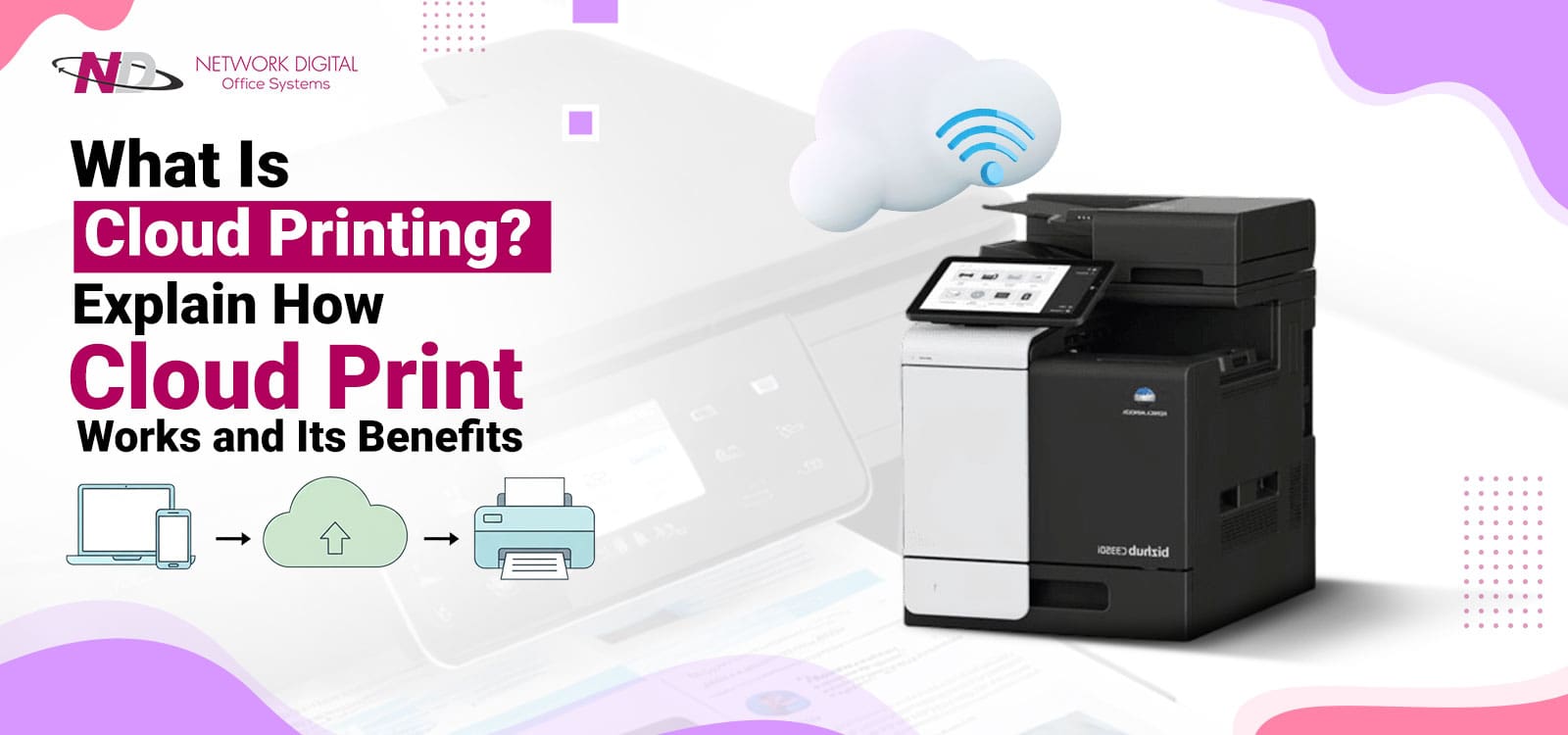
Cloud printing can best be understood by tracing one job from start to finish. A user opens a document on a laptop, phone, or tablet, taps Print. And instead of sending the job directly to a local printer, their device sends it to a cloud printing service.
The service collects basic metadata: who sent the job. When it converts the file to a print-ready format, it encrypts it so its contents remain secure during transport and storage.
Next, the cloud platform determines the destination. It can route the document to a specific printer the user selected, to a pool of printers housed in one location, or to a general “follow-me” or “global” queue accessible by any authorised device.
Routing may depend on rules such as availability, location, or cost controls. The job then waits in a secure queue, either in the cloud or on a local gateway, and is not printed immediately.
The user approaches a printer and logs in using an ID card, PIN, an app on their mobile phone, or the login details the organisation has set up. After verification, the printer retrieves the user’s jobs in the secure queue and prints them. This is while the system logs user, device, page count, and time for reporting and cost tracking.
If a job is never released, it can be automatically deleted after a set period to protect sensitive data and reduce waste. This full-flow approach keeps printing simple for users while providing IT with strong security, control, and visibility.
How Does Cloud Print Work in Real-Life Scenarios?
Understanding the technical process behind cloud-based printing, the natural next question becomes obvious. How do you print from the cloud in everyday operations? Here are real examples of how remote printing solutions can answer typical workplace challenges:
With Hybrid and Remote Workers, a report can be sent from home to a secure cloud queue and then be released from any supported office printer the next day. You dont need VPNs, complex network configurations, or asking someone else to print on your behalf.
Multi-site organisations allow their staff to move between branches. They can log in to an authorised printer at any site to retrieve their documents. They don’t need IT to administer a different set of drivers and print servers for each office.
In addition, hot-desking environments allow users to send jobs to a general queue and print from the nearest printer. This complements flexible workspace layouts. It also makes printing easier for guests and contractors. Visitors can be granted limited, time-bound access to send documents to the cloud and authenticate at the device without full network access.
With high-security printing, the documents appear only when the correct user is physically at the printer. It cuts down the risk of accidental exposure. This helps meet compliance requirements in vertical markets such as healthcare, law, and finance.
Types of Cloud Printing Solutions
Cloud printing can be deployed in several ways, and no two organisations necessarily choose the same model.
Across all models, organisations can define user authentication, applicable print rules, and the level of reporting they need. Typically, cloud print management tools would provide a single interface for administrators to set policies. They may include default duplex printing, color usage restrictions, page limits, and user- or group-based access rights.
Many businesses also pair these platforms with managed print services. This is where an external partner designs, monitors, and continually optimises the entire print environment.
1. Public Cloud Printing
A standard option is public cloud printing. The printing platform sits on shared infrastructure in this one, provided as a subscription service. Many organisations share the same underlying platform, each operating within its own secure space.
Public cloud printing typically requires very little local hardware. It finds favour with small and mid-size businesses looking for rapid setup and predictable costs. For those who need more control, private cloud printing offers another option.
2. Private Cloud Printing
Private cloud printing means that the cloud printing platform resides on dedicated infrastructure for a single organisation. It might be located in the company’s own data centre or with a provider offering single-tenant environments. Industries with strict requirements around compliance, data protection, or performance typically choose private cloud printing.
3. Hybrid Cloud Printing
Hybrid cloud printing takes the best of both worlds. A portion of the printing system is on the cloud, while another portion remains on-premises. This is useful when a company has legacy printers that cannot connect directly to a cloud platform. However, it wants the benefits of cloud-based printing and the ability to print anywhere.
A locally placed gateway appliance can bridge older devices to the modern environment. Hybrid configurations can boost resilience by enabling printing to continue locally during short-term outages of an internet connection.
Benefits of Cloud Printing for Businesses
Understanding how cloud print works is one thing, but decision-makers are more interested in the concrete value it brings. Cloud printing for business brings very tangible gains in flexibility, security, IT workload, and cost control.
Users can print from anywhere, not just from a specific network or device. They can send jobs from home, while travelling, or from any office and release them at a convenient printer when they arrive. This “print from anywhere” approach is especially valuable for hybrid workers, field teams, and distributed offices.
Security also improves. Documents are encrypted as they move across devices, the cloud, and printers. They stay in secure queues until the authorised user is physically at the printer to release them. Access controls and authentication methods ensure only authorised personnel can view and print sensitive material. They support compliance and internal policies.
For IT teams, this typically means fewer on-premise print servers, fewer driver-related problems, and fewer print-related support tickets. All printers, queues, and errors can be displayed in a single place with a central console, making management much easier.
Cloud printing services and managed print services also make cost control easier. Since every job is logged by user, department, device, and time, organisations know where printing concentrates, which devices are underused, and where waste occurs. They can then adjust device placement, enforce duplex and black-and-white defaults, and set practical print policies that steadily reduce direct print spend and indirect labour costs.
At the same time, cloud printing scales smoothly. Adding users, departments, or locations is a configuration change rather than a hardware project. Integration with other cloud tools keeps printing aligned with the rest of the company’s digital transformation.
Cloud Printing vs Traditional Printing
To compare cloud printing with traditional printing, the differences become evident. Here it is in a clear, side-by-side view:
| Aspect | Cloud Printing (Cloud-Based Printing) | Traditional Printing |
|---|---|---|
| Connection method | Internet/cloud platform | Local network / direct connection |
| Location flexibility | Users can print from anywhere and release at multiple printers | Users must be on-site or connected via VPN |
| Infrastructure | Few or no local servers; managed in the cloud | Multiple print servers, on-premise infrastructure |
| Security | Encrypted jobs, secure release, and user authentication | Jobs often print immediately and can sit unattended |
| Management | Centralized cloud print management dashboard | Server-by-server and printer-by-printer management |
| Scalability | Easy to add users, sites, and devices | Requires more hardware and configuration changes |
| IT workload | Lower support and maintenance demands | Frequent driver, queue, and connectivity issues |
| Cost visibility | Detailed usage analytics and reporting | Limited, often manual tracking |
Is Cloud Printing Right for Your Business?
Cloud printing fits naturally in organisations with remote, hybrid, or mobile teams, as well as in organisations with multiple offices. It can also complement a steady flow of visitors and contractors who need printing access. Furthermore, it applies well to companies that handle sensitive documents. It offers superior, stringent control over who prints what and where.
This usually appeals to companies that want to reduce on-premise infrastructure. Moreover, it can work fine if you seek better insight into print usage, and free IT resources from low-value maintenance.
The urgency for cloud-based printing is lower for tiny organisations. This is because they typically have simple, single-location setups and minimal printing needs. Planning for more flexible options can pay off even in these cases as the business grows or work patterns evolve.
A practical starting point is the review of the current print environment. Run your eyes over the devices, volumes, security requirements, and user behaviour. In general, Managed Print Services providers can assist in this assessment. They can recommend a mix of cloud printing services, remote printing solutions, and hardware tailored to the organisation’s specific needs.
Network Digital Makes Advanced Printing Easy
Cloud printing brings your entire print ecosystem in line with how people work today: mobile, flexible, and cloud-first. It eliminates the need for outdated print servers, reduces waste, amps up security, and gives your team an easy way to print from anywhere. For many organisations, this is a natural next step in modernising office infrastructure.
If you’re ready to explore cloud printing for your New Jersey or New York business, Network Digital can help. Backed by over 40 years of experience and named a 2023 ENX Elite Dealer, we evaluate your current configuration.
Network Digital can help you pick the right devices and workflows in the cloud and guide you through the migration. Our flexible rental and leasing programs make it an affordable investment in cloud printing.
Choose us to reduce costs and enhance efficiency in corporate printing solutions. Call us or use our website for a free cloud printing and cost-management analysis.